
 Calc Pro
Graphing Calculator for iPhone, iPad, Mac & Android
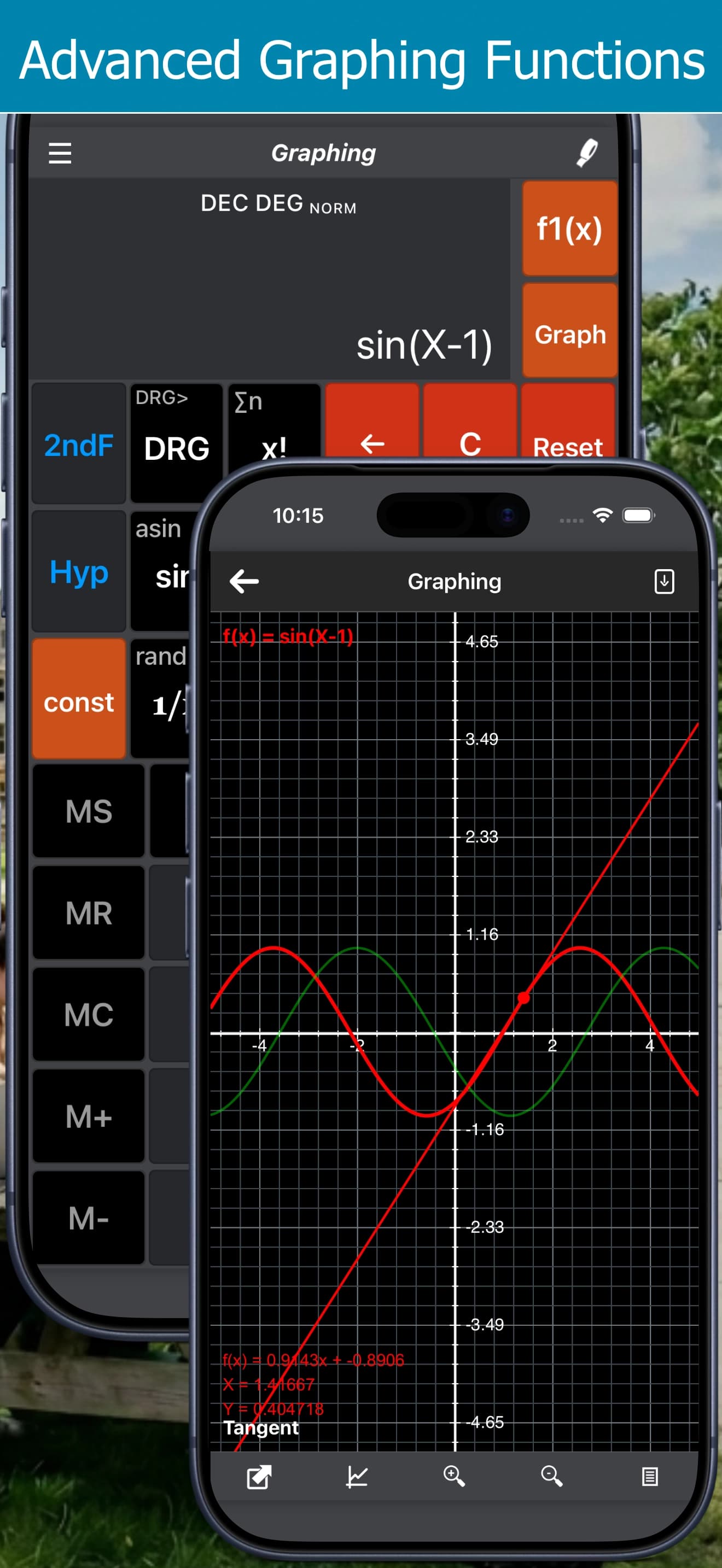
Plot up to 8 equations at once and explore them visually. Calc Pro's Graphing Calculator lets you find points on a curve, show tangents and share your graphs, right from your iPhone, iPad, Mac or Android device.
Take it with you




Free with ads · In-app purchase unlocks the full Pro Premium version
Graphing Calculator Features
Up to 8 equations
Enter f1(x) through f8(x) and graph them simultaneously, each in its own color.
Find points on the graph
Move along a curve to read exact coordinates.
Show tangents
Display the tangent line at any point to explore slopes and rates of change.
Zoom in and out
Focus on exactly the part of the graph you need.
Full scientific keypad
Build equations with trig, logs, powers and roots using the same keys as the Scientific Calculator.
Share your work
E-mail your equations along with an image of the graph.
Great for
- Algebra and pre-calculus
- Calculus: slopes and tangents
- Comparing functions
- Physics motion graphs
Frequently Asked Questions
How many equations can I graph at once?
Up to 8. Each equation gets its own slot and color so you can compare them side by side.
Can Calc Pro show tangent lines?
Yes. You can find points on a graph and show the tangent at that point.
Can I share a graph?
Yes. E-mail your equations along with an image of the graph.
Is Calc Pro free?
Calc Pro is a free download for iPhone and iPad on the App Store and for Android on Google Play and the Galaxy Store, supported by ads. The Pro Premium in-app purchase unlocks the full version, including crypto rates, PDF export, and the newest financial worksheets, unit categories, constants and statistics tools. The Mac app has no ads: it starts with a free 7-day trial of everything, then needs Pro Premium.
Is Calc Pro available on Android?
Yes. Calc Pro is available on Google Play for Android phones and tablets, and on the Galaxy Store for Samsung Galaxy devices.
Is Calc Pro available on Mac?
Yes. Calc Pro for Mac is on the Mac App Store. It has no ads and starts with a free 7-day trial of every feature. After that, Pro Premium unlocks it. It's the same one-time purchase as on iPhone and iPad, so if you've already bought Pro Premium there, restore it on your Mac at no extra cost.
More in Calc Pro
Download Calc Pro
Calc Pro combines 10 powerful calculators with 23 financial worksheets. It's the trusted choice of students, professionals, and investors worldwide, and the only app that can truly replace your pocket calculator. Now with support for iPhone Duo.
Free with ads · In-app purchase unlocks the full Pro Premium version
Or use the Graphing Calculator free in your browser